
Your Account
Every user can adjust several settings from their account.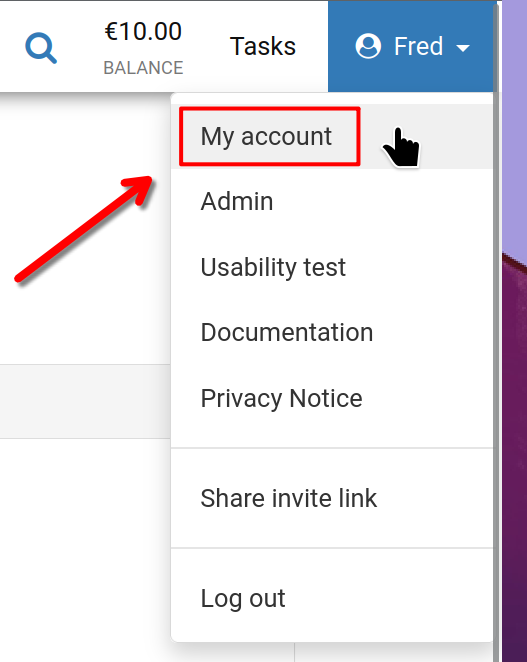
To begin, click your user name in the top right corner of the screen, then select 'Your account' as illustrated.
Your Account
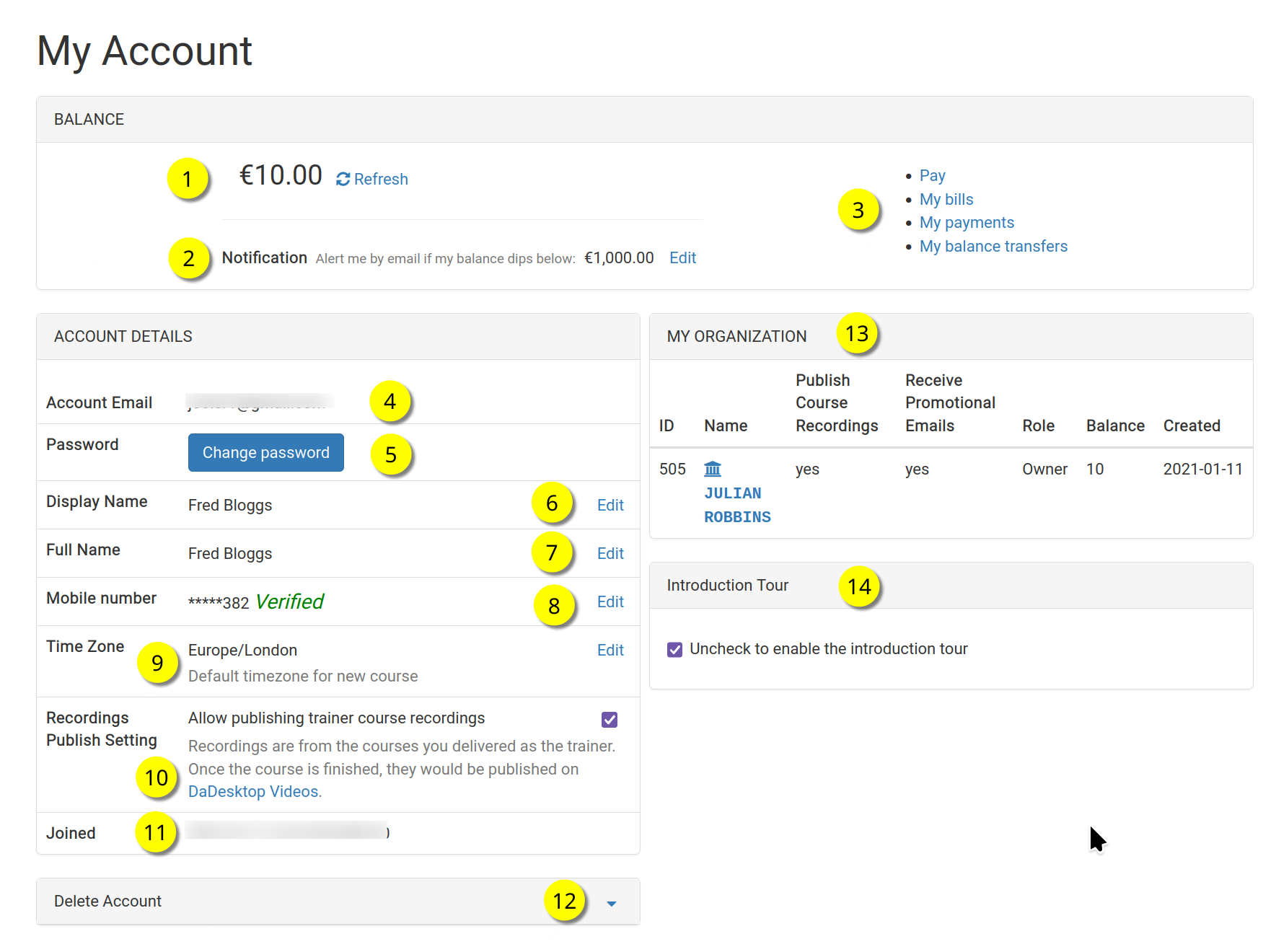
This is the 'Your Account' page.
Refer to the numbers below for an explanation of each feature.
Key
| Description | ||
|---|---|---|
| 1 | Balance | Displays your current balance. |
| 2 | Notification | Lets you receive an email alert when your balance drops below a threshold you define. |
| 3 | Billing Links | Here you'll find quick links to Payment, your Balance, Previous Payments, and Balance Transfers. |
| 4 | Account Email | This email address is fixed and cannot be edited. |
| 5 | Password | You can update your password here. |
| 6 | Display Name | The name shown publicly; you can modify it anytime. |
| 7 | Full Name | Your full name, which can also be updated as needed. |
| 8 | Mobile Number | You can change your mobile number whenever you like. |
| 9 | Timezone | Sets the time zone so all times shown are accurate for your location. |
| 10 | Recordings Publishing Setting | If you are a Trainer, you can choose whether course recordings from your machine are published on dadesktop.com/videos. |
| 11 | Joined | The date you joined DaDesktop. |
| 12 | Delete Account | Click here to permanently delete your DaDesktop account. All your data will be erased. |
| 13 | My Organisation | You can add an Organisation to your account. This section shows your organisation details. |
| 14 | Introduction Tour | You can re-enable the introductory tour by unchecking this box, so the guided walkthrough appears again. |