
Advantages
A cloud desktop brings tremendous advantages to organizations looking to offer live, instructor-led training. These perks really shine when delivering IT training sessions to participants spread out across different locations Germany.
A growing number of organizations have also turned to DaDesktop for local, live, instructor-led training, thanks to how effortlessly complex software apps can be set up and configured beforehand, then cloned to dozens or even hundreds of other cloud desktops with just a few clicks.
Here’s a look at why instructors, learners, and companies pick DaDesktop for their training requirements and the positive outcomes they’ve enjoyed.
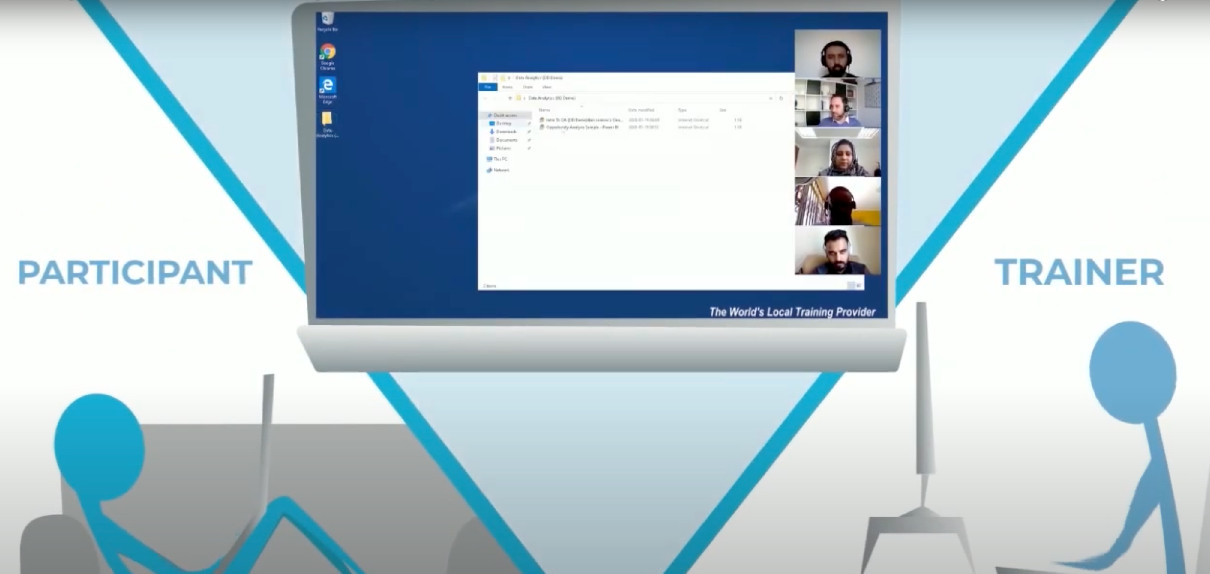
Organizations (companies, learning institutions, government)
-
Cost-effective
- DaDesktop is far more affordable compared to cloud instances from AWS, Azure, or Google Cloud.
- Because DaDesktop concentrates on short-term cloud desktop use rather than long-term hosting, it can leverage a straightforward and budget-friendly pricing structure.
-
Scalable
- Organizations leverage DaDesktop to run IT training for large groups, instantly cloning a ready-made cloud desktop to 50 or more students simultaneously, without any glitches.
- DaDesktop servers store thousands of virtual machine images at any moment, enabling course participant numbers to far exceed the usual classroom capacity.
-
Fast
- With DaDesktop, cloud desktops boot up rapidly as a training session starts and shut down just as quickly once it’s over.
- Cloning a DaDesktop cloud desktop is over 100 times faster than spinning up an AWS public cloud machine or a physical classroom workstation.
-
Convenient
- The user-friendly interface lets you set up and tweak the learning environment on the go, even once the session is underway.
-
Extensible
- DaDesktop offers an easy way to request new features.
- DaDesktop comes with a public API and extensions for custom integration with external systems like LDAP, OpenID-Connect, and LMS.
-
Secure
- No user data persists on DaDesktop after the training session ends.
- Every cloud desktop is intentionally temporary and self-contained.
-
Accessible
- There's no need to get IT’s approval for software to go around the company firewall.
- A complete Windows or Linux desktop is accessible right inside the browser, with no plugins needed.
-
Public, Private and On-premise
- DaDesktop is available via both public and private servers, granting users various degrees of privacy and control.
-
It can also be deployed on-premise inside the customer’s own data center.
Try DaDesktop today!
Instructors
-
Convenient
- Instructors can launch as many cloud desktops as required, allocating one to each participant for the whole session.
- One cloud desktop can be pre-loaded and configured with all necessary software and OS settings, then instantly cloned for any number of learners. No time is lost fiddling with setup during live training.
- Training sessions can be conducted entirely from a browser on a laptop, right from home or the office.
-
Fast
- Multiple cloud desktops for many participants can be launched simultaneously in just seconds.
-
Interactive
- Instructors not only view participants’ screens but can also take over control whenever needed, mirroring the feel of a physical classroom.
-
Recordable
- Trainers can record the whole session and share it with participants afterward.
-
The recorded session serves as valuable feedback, allowing instructors to refine their delivery in future courses.
Try DaDesktop today!
Participants
-
Convenient
- Participants join DaDesktop from their laptop or PC browser using just a URL shared by the instructor.
- No software installation is required. After logging in, they immediately work within a Windows or Linux desktop environment right through the browser.
- As soon as they enter the session, all tools, materials, and exercises that the instructor prepped are instantly at their fingertips.
- When they switch to full-screen mode, the cloud desktop fills the entire display—it no longer feels like a browser window hosting an OS, but rather like a native desktop OS running on their machine.
-
Training can happen comfortably from home or the office.