Server Administration
You can add and remove servers within your On-Premise or OEM DaDesktop cloud environment.

Sync all sys info
It examines each server's CPU, memory, and other metrics, then updates the database accordingly. DaDesktop relies on this data to suggest suitable servers to users, prioritizing those with the most available resources.
If you've upgraded hardware, you can trigger a sync for all servers or just a single one.
Keep in mind that syncing over 1000 servers may take a few minutes.
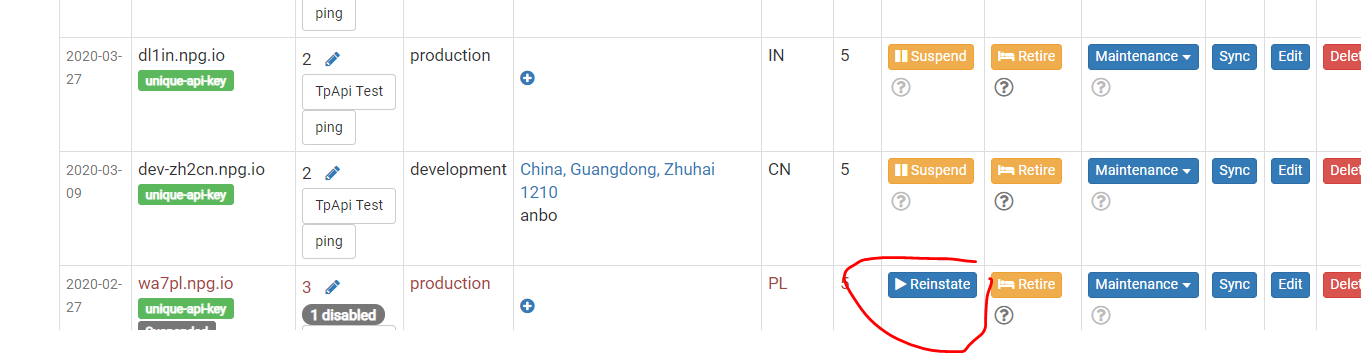
Change State (Suspend, Reinstate)
You can suspend a server that is currently unreachable. Doing so stops the DaDesktop GUI from checking that server's status and its associated Desktops.
This is useful if a server is unavailable because of a malfunction.
Retiring Server
When you no longer need a particular server, you can set it to retire mode. This blocks the creation of new desktops on that machine, while still allowing existing desktops to run or be migrated to other servers.