
Remote Replica
The Remote Replica feature enables you to copy, or clone, your Fresh Start Desktop onto a different server, usually in a separate location. After the initial setup, all changes to your desktop are automatically synced to the replica in the background, without any further interaction needed.
This is an extremely handy tool that can be applied in several scenarios—two of the most common are outlined below.
Please note that for now, Remote Replica is only available for Fresh Start machines, though it can also be utilized within DaDesktop for work, known as DD4W.
First: Create a Remote Replica (clone) of your desktop on a server in an alternative data centre
Think of it as a safety net: you can set up a Remote Replica on a server in a different data centre, just in case your primary server becomes unreachable. That way, you can keep working on the replica and pick up right where you left off.
For instance, our Fresh Start machine starts off in the UK Data Center, such as bd3uk.
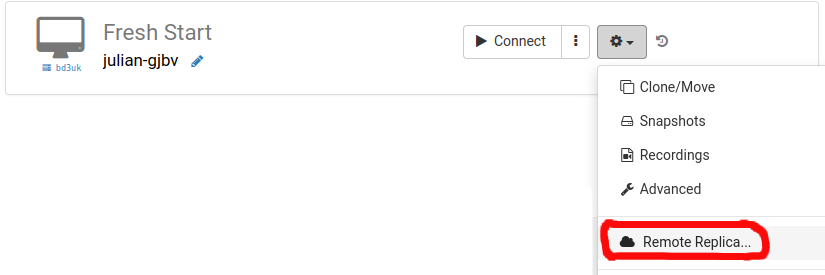
Pick the data centre where you'd like the Remote Replica to reside—typically one that's different from your current machine. You might want to go for a different data centre, or even another country.
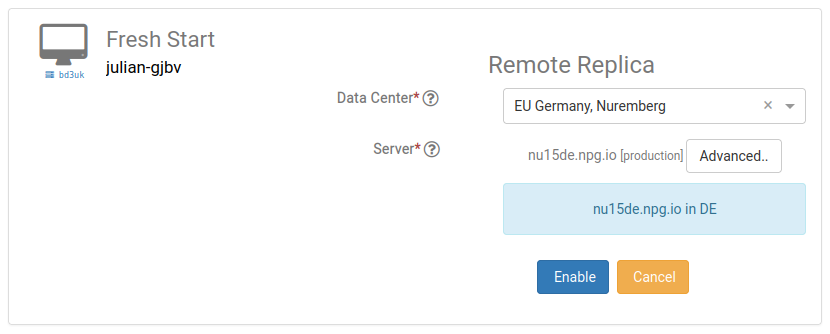
Your Remote Replica desktop is now being built. The time this takes depends on the replica's geographic distance and the size of your desktop. Feel free to keep working on your original machine while this happens.
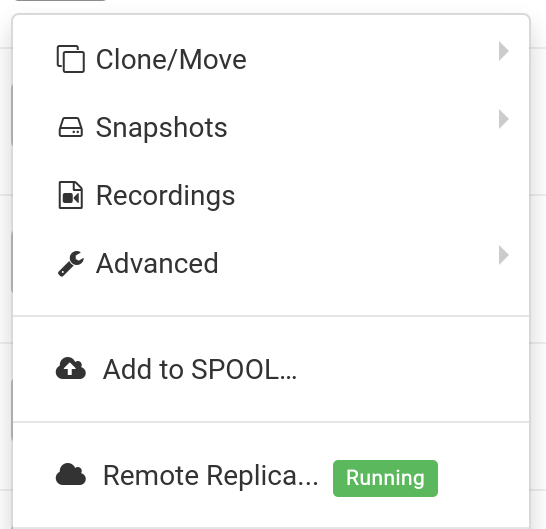
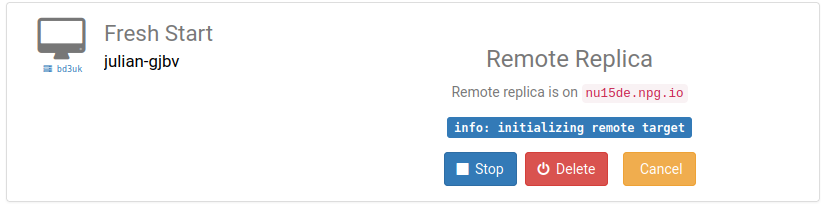
Restoring a Remote Replica
Should you ever be unable to reach your FreshStart Desktop, you can restore the Remote Replica you've configured.
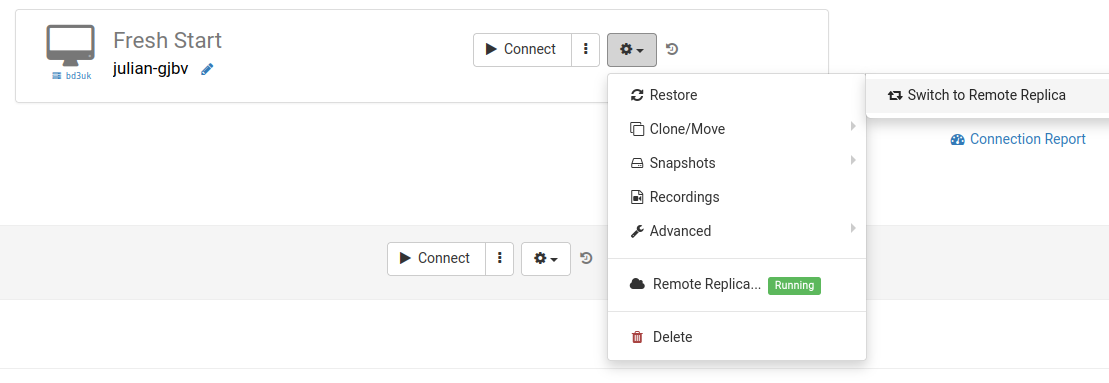
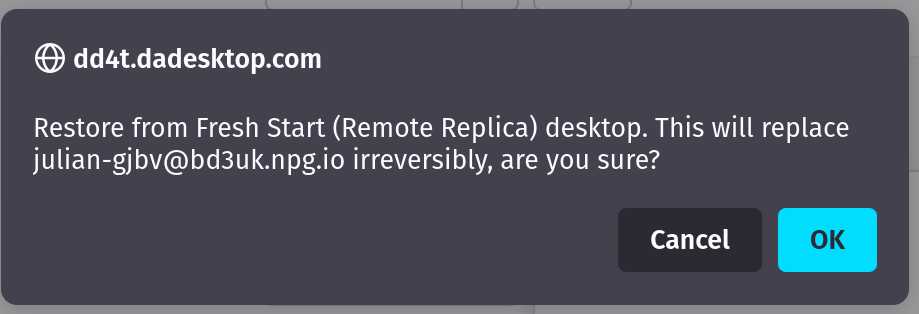
Once the Remote Replica is in use, you cannot go back to the original desktop. No worries though—it is an identical clone.
Keep in mind that after switching, the Remote Replica service stops running. If you want to create another replica, you'll need to repeat the initial setup steps to configure a new replica desktop.


Second scenario: Using a Replica for FreshStart in a different region to cut down on connection latency
Remote Replica is especially handy when you want a copy of your Fresh Start machine nearer to you while you're building course content. For instance, imagine a trainer based in Germany who is delivering a course in South Africa. This kind of setup is pretty common with DaDesktop because the platform makes it simple to manage courses across different locations.
In that situation, you wouldn't want to build the course directly on a South African server due to high latency. Instead, you'd set up a Remote Replica in Europe, minimising lag. The replica automatically syncs with every change you make.
Once you're done with the Fresh Start Desktop, restore the Remote Replica on the trainer's machine in South Africa, allowing quick distribution to both the trainer's machine and the participants.