
Recycle Bin
Once a course wraps up in Germany, all machines tied to it—Fresh Start, Trainer, and all Participant machines—are cleared out after a brief interval.
We've introduced a feature that lets you retrieve these machines from the 'Recycle Bin' even after they've been removed from a course. The recovery window varies based on factors like server disk space and course usage, rather than a fixed timeframe, but generally, you can expect machines to remain recoverable for at least a couple of months after the course ends.
Each machine can be Restored to its course if that course is still active; otherwise, you can Restored to a Standalone Desktop, or simply Deleted it entirely.
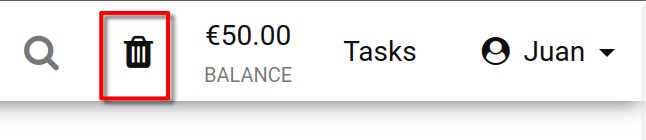
You can check your Recycle bin status by glancing at the Recycle Bin icon. A black icon means there are restorable machines; if it's greyed out, the bin is empty.
You can also search through the machines in your recycle bin by name, server name, or course name.
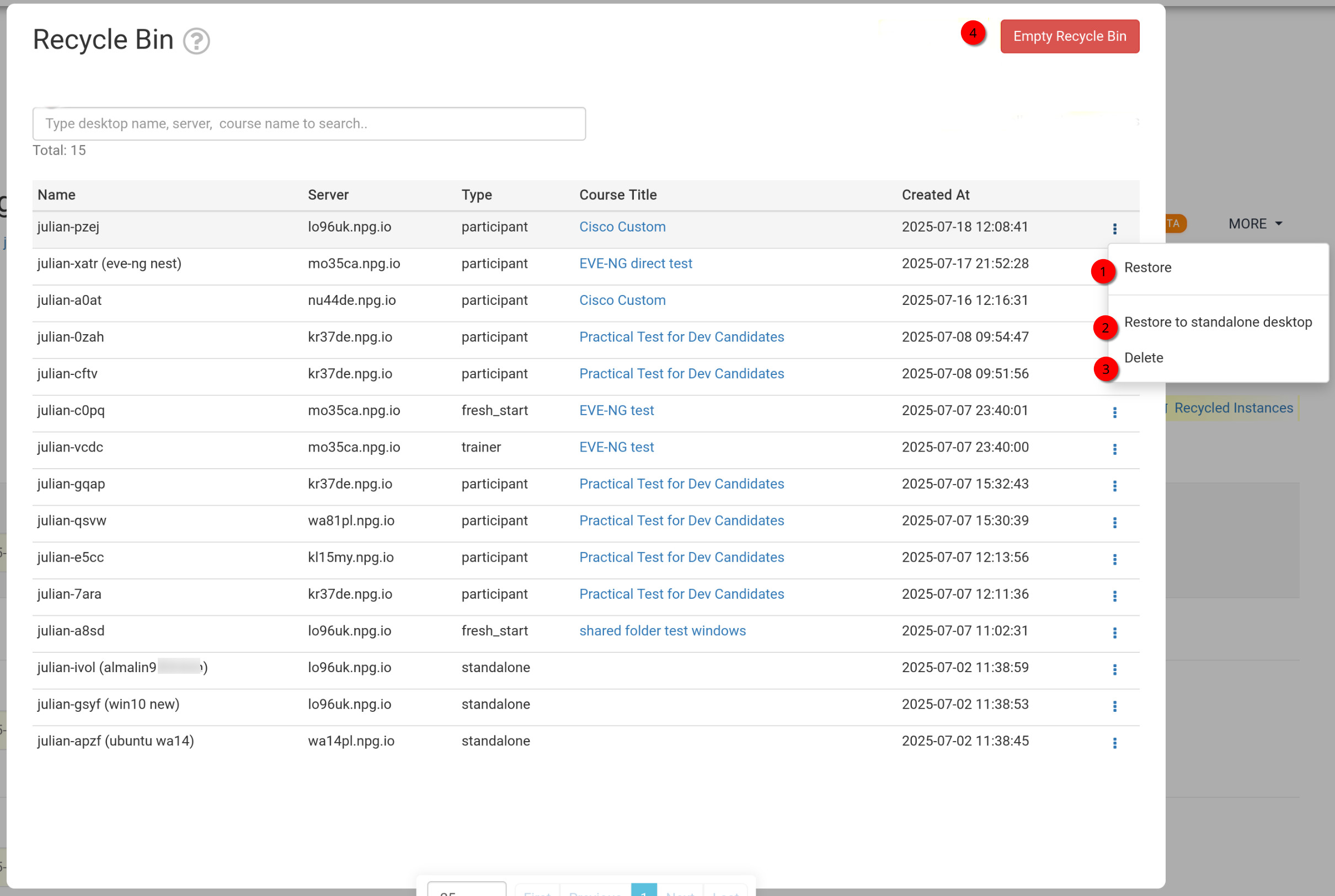
Restoring or Deleting Machines from the Recycle Bin
- Restore – Use this to bring back a machine that was removed from a course. It will be returned to its original course. If the course has already finished, the machine can't be restored there and must instead be brought back as a Standalone machine (see below).
- Restore to Standalone Desktop – This is typically used when a course is no longer active. Restoring as a Standalone machine offers greater flexibility, as the machine remains available for as long as you need.
- Delete – To permanently remove a machine from the Recycle Bin, select 'Delete'. Please note, once deleted from the Recycle Bin, the machine cannot be recovered.
- Empty Recycle Bin - Clicking the red Empty Recycle Bin button permanently deletes all machines from the Recycle Bin, so they can't be recovered.