
Over-committing Co-efficients
This feature is only offered on: DaDesktop Private Server (DDPS), DaDesktop On-Premise (DDOP).
As course demands grow in complexity and processing power—especially with nested virtualisation or increased performance needs for more trainee desktops—you may occasionally encounter an error like this :-

This warning specifically relates to CPU, memory, or disk space. The first step you should take is to relocate the machine(s) to a less busy server or data centre, or reduce the resource requirements if feasible.
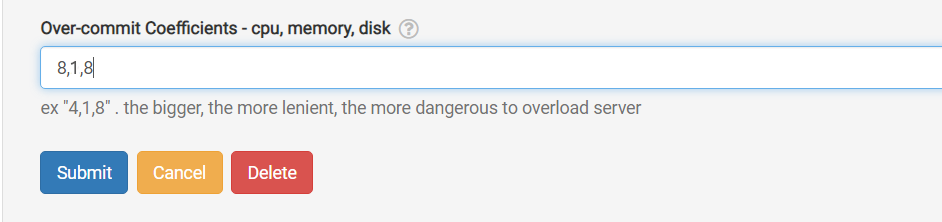
If those options aren't possible, you can quickly work around a situation where the running units slightly exceed the normal allowance by temporarily over-committing one or more CPU, memory, or disk coefficients. Here's how to do it in the GUI:
Navigate to /da/admin/servers/all, click Edit for your server, and scroll down to the following section.
The server list also displays which servers are using over-committed coefficients—handy when you need to revert them back to default after a course ends.
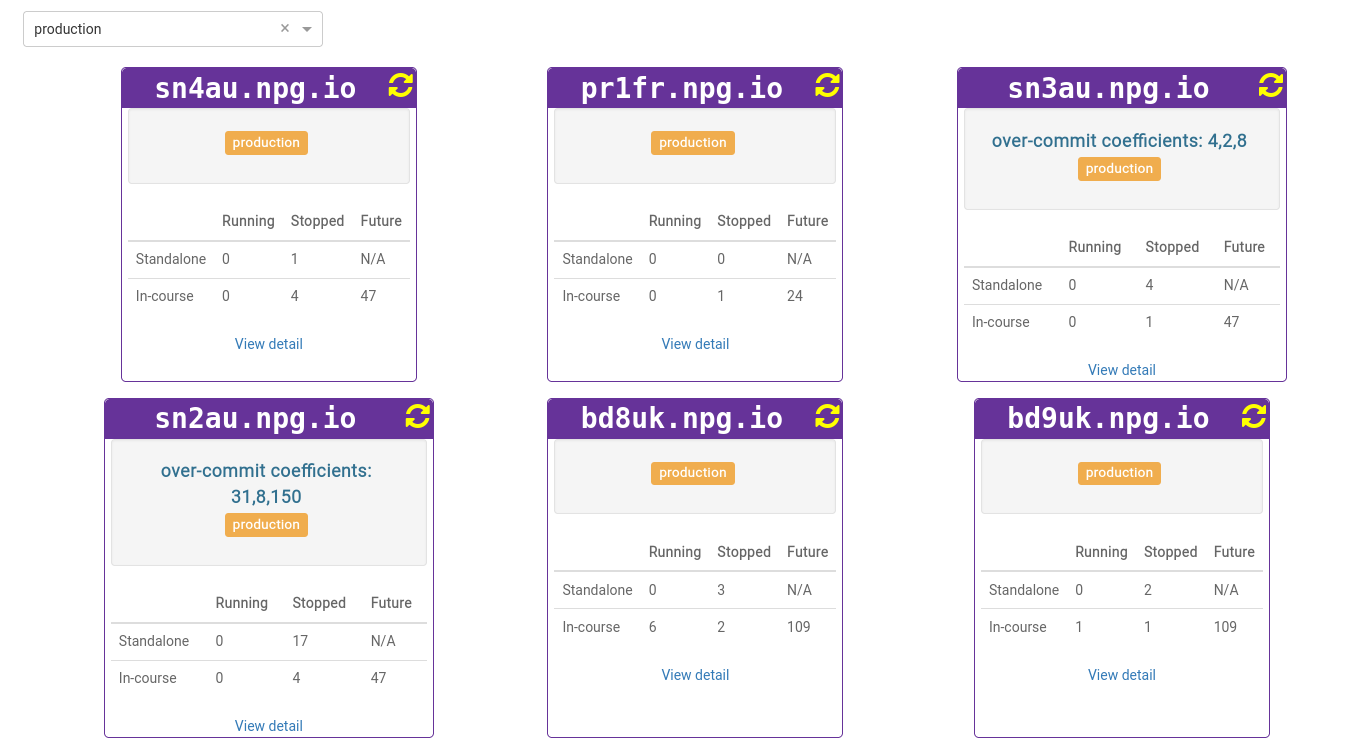
Note that any adjustments are only meant as a temporary fix—not a lasting answer to insufficient resources. Once the course is over, make sure to revert the coefficients to their original values.
DaDesktop On-Premise Requirements
The over-committing function is made possible by tpapi, which is part of the DaDesktop codebase. Tpapi currently only supports Python 3.12, so the operating system must be at least Ubuntu 23.10.