
My Account
Every user's account includes a range of configurable settings.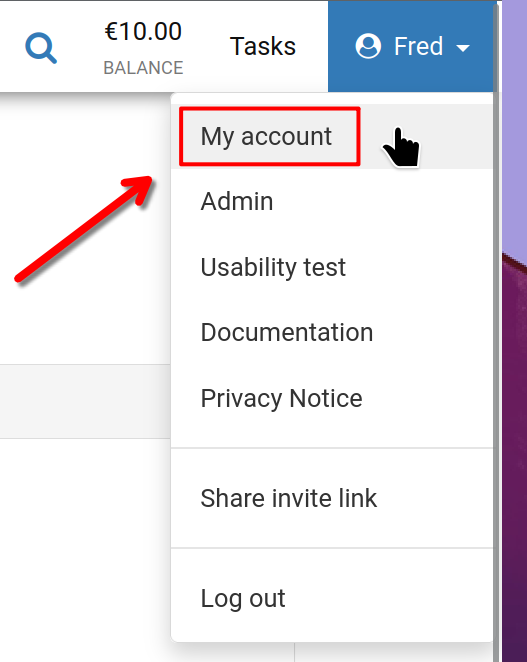
To begin, click your username in the top-right corner, then choose 'My account' as highlighted.
My Account
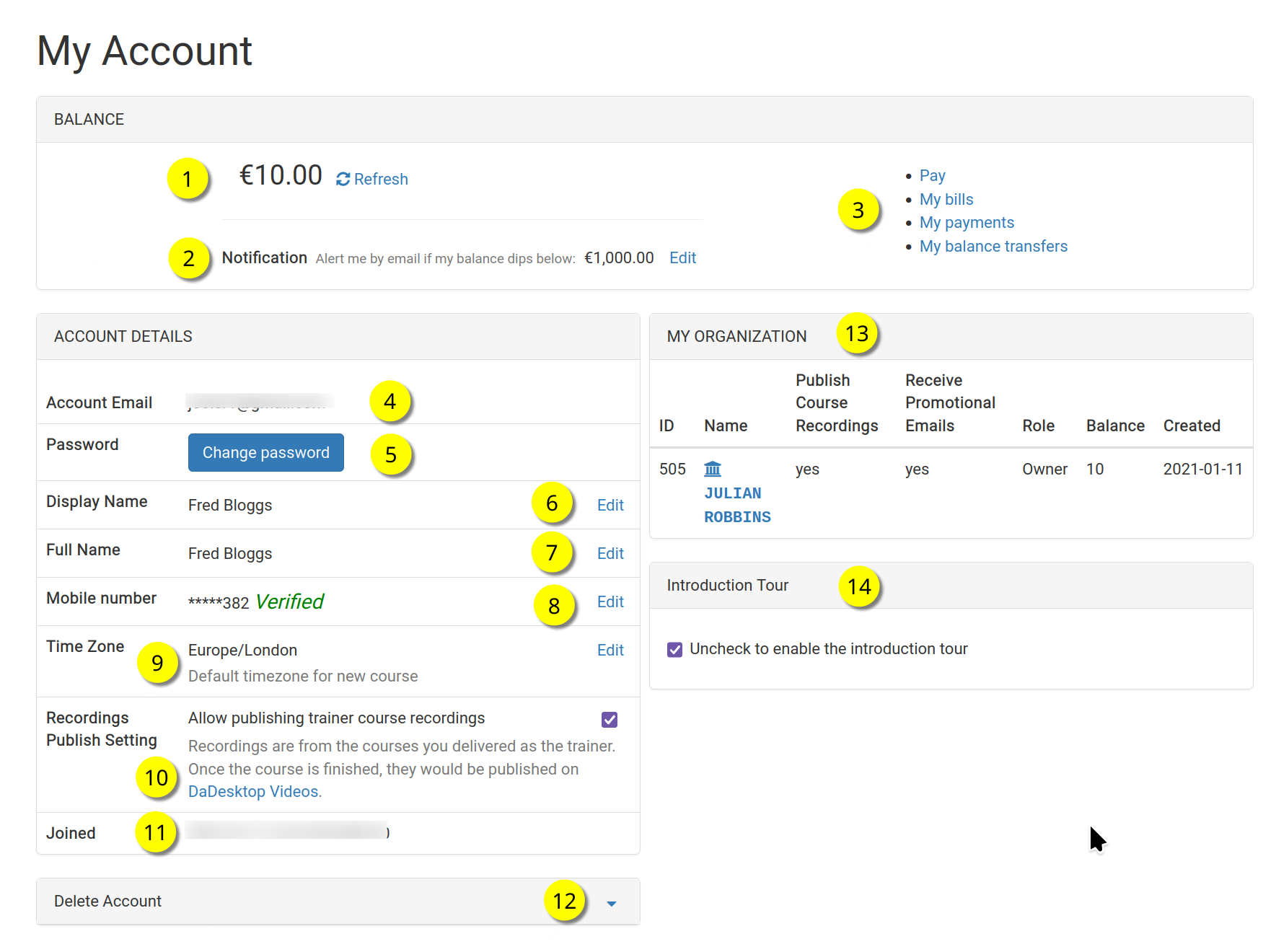
This is your personal account dashboard.
Refer to the numbered items below for a description of each feature.
Key
| Description | ||
|---|---|---|
| 1 | Balance | Displays your current account balance. |
| 2 | Notification | You can set a threshold so that an email alert is sent whenever your balance falls below that value. |
| 3 | Billing Links | Here you'll find shortcuts to manage payments, review your balance, see past transactions, and transfer funds. |
| 4 | Account Email | This email address is fixed and cannot be edited. |
| 5 | Password | Update your login password here. |
| 6 | Display Name | This is the name shown publicly; you can change it at any time. |
| 7 | Full Name | Your complete legal name, also editable as needed. |
| 8 | Mobile Number | Change your contact number here whenever necessary. |
| 9 | Timezone | Set your local timezone to ensure all times are displayed correctly for your area. |
| 10 | Recordings Publishing Setting | If you are a Trainer, you can decide whether course recordings made on your device may be published on the dadesktop.com/videos website. |
| 11 | Joined | The date your DaDesktop account was first created. |
| 12 | Delete Account | Click here to permanently remove your DaDesktop account. All associated data will be permanently erased. |
| 13 | My Organisation | You can add an Organisation to your account. This section shows your organisation's details. |
| 14 | Introduction Tour | To see the guided tour again, simply uncheck this box to reactivate it. |